Introducing Gideon, my personal AI agent
A couple weeks ago, I wrote about my tech stack recommendation for building a personal AI agent. The TLDR is: VPS, Claude Code, a small dashboard app on Bun + SQLite, Telegram for chat, residential IP for things that get blocked.
I actually built that whole thing for myself, vibecoded end-to-end with Claude Code. I named it Gideon (yes, inspired by The Flash hehehe).
And now I’ve published it as open source: github.com/terryds/gideon-ai.
Designed for single user on a VPS
Before I list the features, I want to be upfront about the scope.
Gideon is designed for single-user use on a VPS. One bot, one linked Telegram chat, one operator. There’s no multi-user auth, no permission model, no tenant isolation. The linked chat effectively has shell access to your machine.
This is by design. I wanted something small and personal that I (and Claude Code) could shape around my own use cases. If you need multi-user, OpenClaw is still the better pick.
The features
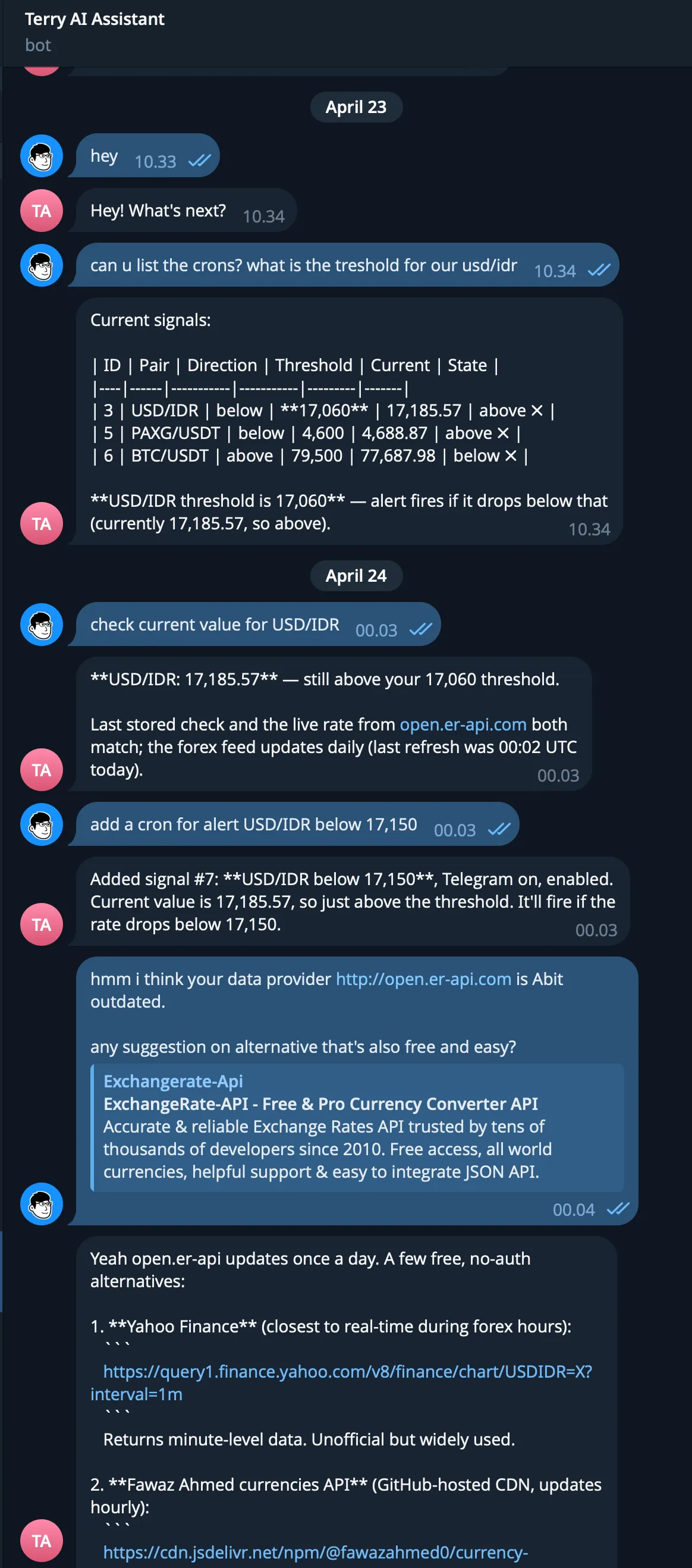
1. Telegram to Claude Code relay
You message your bot, the message gets relayed to a claude headless session running on your VPS, and Claude replies back through Telegram. Photos and image attachments are passed in too.
It also handles /new_session to start a fresh conversation, and shows the “typing…” status while Claude is still thinking.
This is the main way I talk to my VPS now.
2. The Dashboard
A small Bun + React + SQLite app. It’s where I configure everything (bot token, API keys, cron schedule) and where the monitoring features live.
Setup is a two-step in-browser wizard. It checks claude --version, then asks you to paste your bot token and send any message to your bot to grab the chat_id automatically.
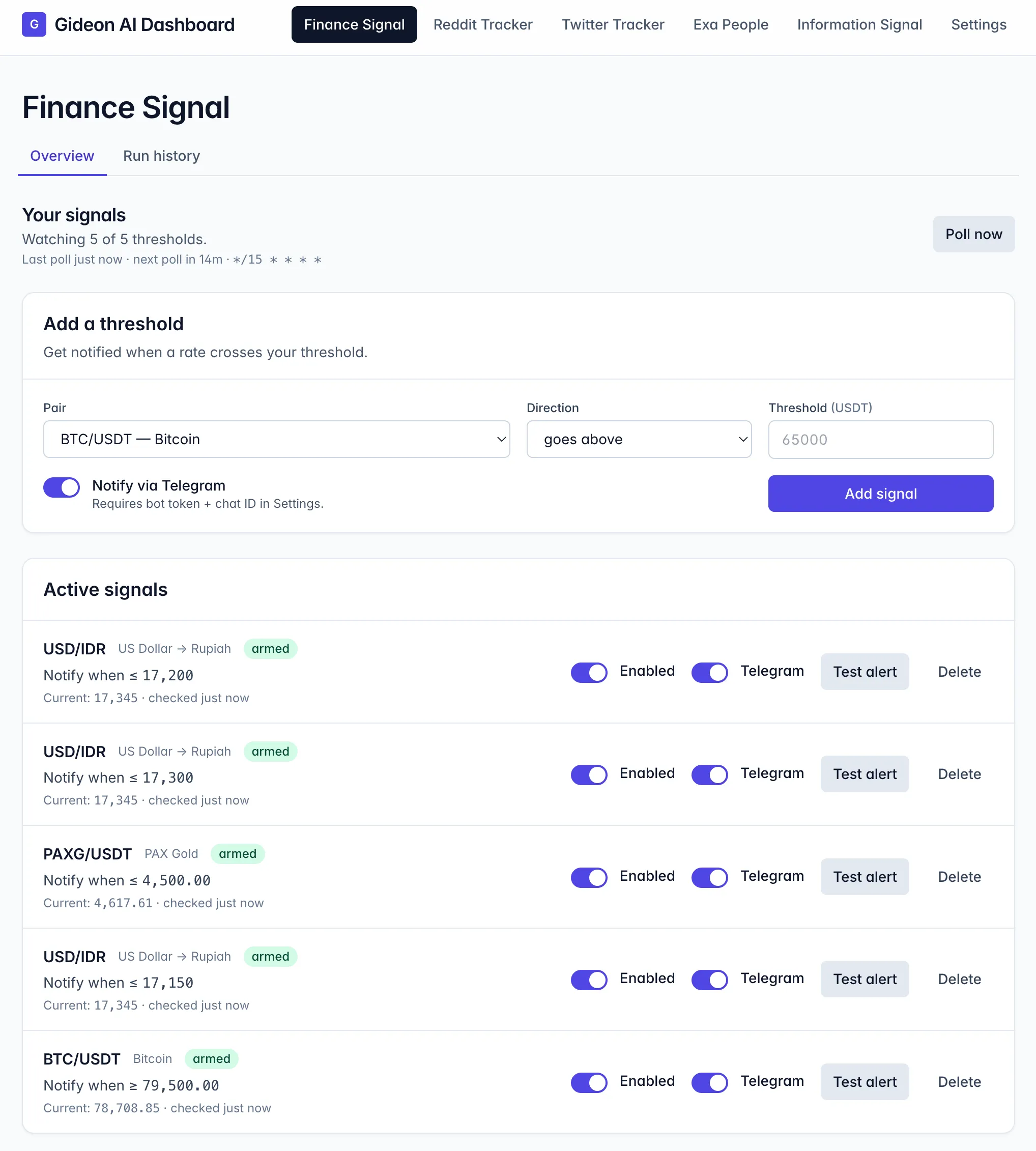
3. Finance Signal
Watches crypto and forex pairs and pings me on Telegram when a price crosses a threshold I set. Crypto via Binance (BTC, ETH, SOL, BNB, PAXG), forex via Yahoo Finance (USD/IDR, EUR/USD, SGD/IDR).
It runs every 15 minutes by default. State transitions only, so I don’t get spammed every poll.
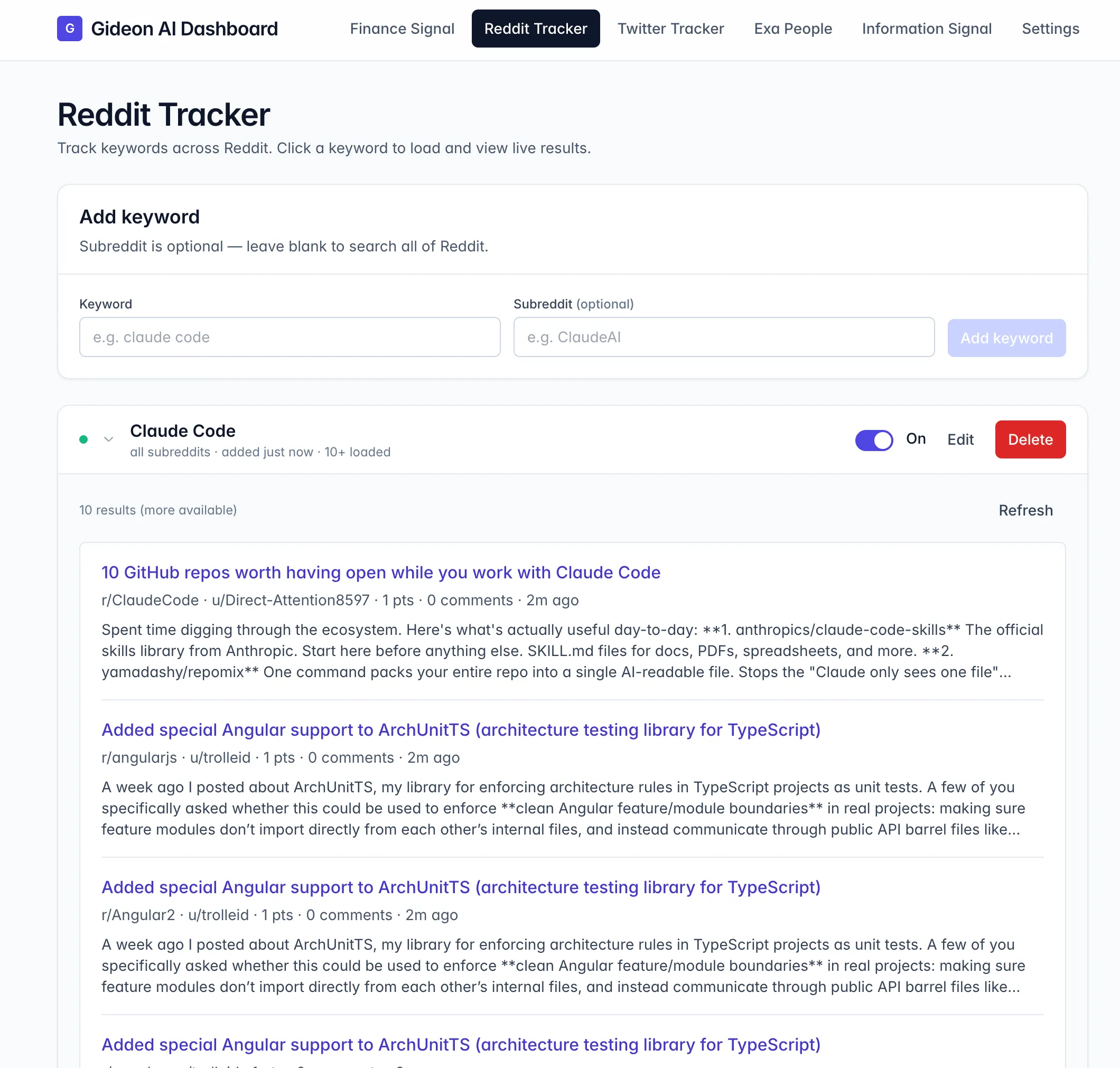
4. Reddit Tracker
Pulls recent posts for a keyword, optionally restricted to a subreddit. Reddit blocks data center IPs hard, so this needs a residential proxy to actually work (this is where Floxy from my last article comes in).
5. Twitter Tracker
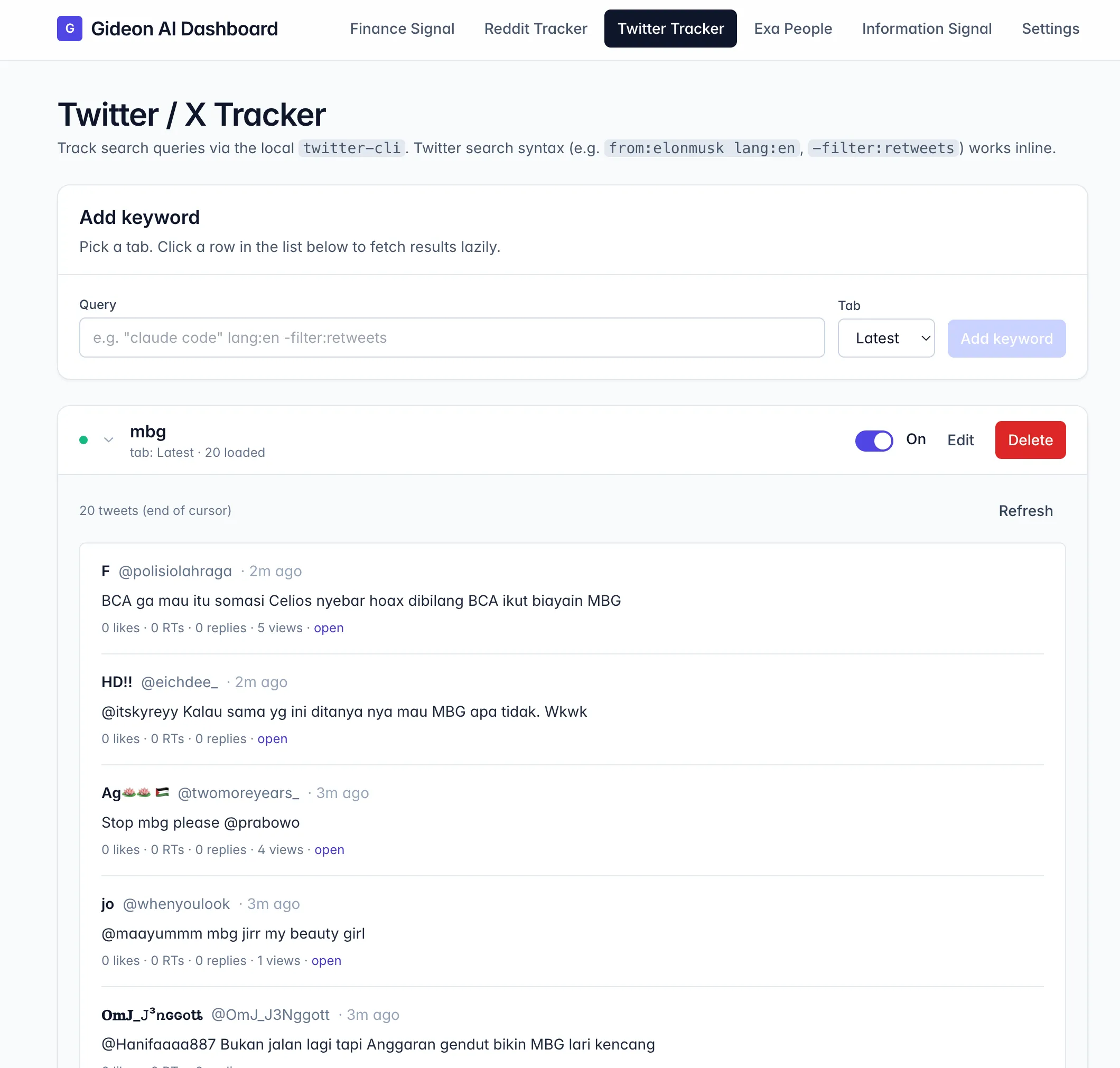
Search Twitter (X) by keyword across Top / Latest / Photos / Videos. It shells out to the twitter-cli tool, which uses your browser cookies for auth.
6. Exa People Search
Find people on the internet using natural-language queries, powered by Exa. Things like “founder of a YC-backed climate startup based in Berlin”. Useful for research.

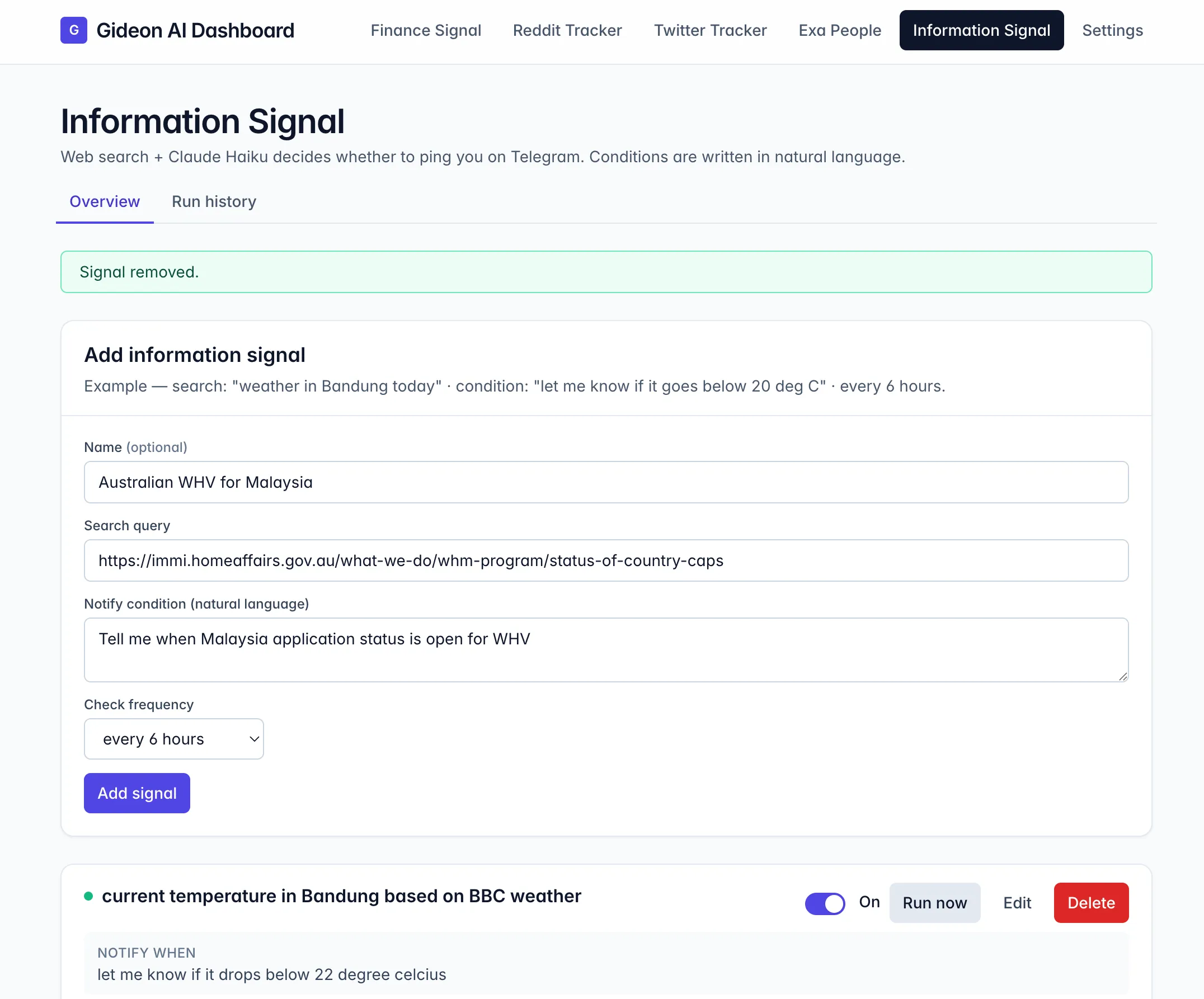
7. Information Signal
You write a search query and a notify condition in plain English, pick a frequency, and Gideon does the rest.
Each tick, it hits the Perplexity API in pro-search mode, which searches the web and reasons over the results in a single call. It returns whether your condition is met, and only then do I get a Telegram ping.
So instead of being spammed with every news result, I only get pinged when something actually matters. For example: “notify me only if the Fed announced a rate change or hinted at one in the next FOMC.”
Why I open-sourced it
Honestly, I just want more people to have their own personal AI agent. I really believe a personal AI assistant should be personal. Built around your own use cases, running on your own machine, no SaaS in between.
If you’re someone who lives in Telegram, wants everything in one small Bun process, and wants monitoring features bundled in, give Gideon a try and modify it yourself using Claude Code / Codex / any harness you use.
Repo: https://github.com/terryds/gideon-ai
Happy tinkering!
Enjoyed this article?
Get future posts delivered to your inbox so you never miss one. You can also follow via RSS feed.
Subscribe via email